⚡ What Makes SCDesk Different?
1. 🚀 Zero-Lag Screen Streaming
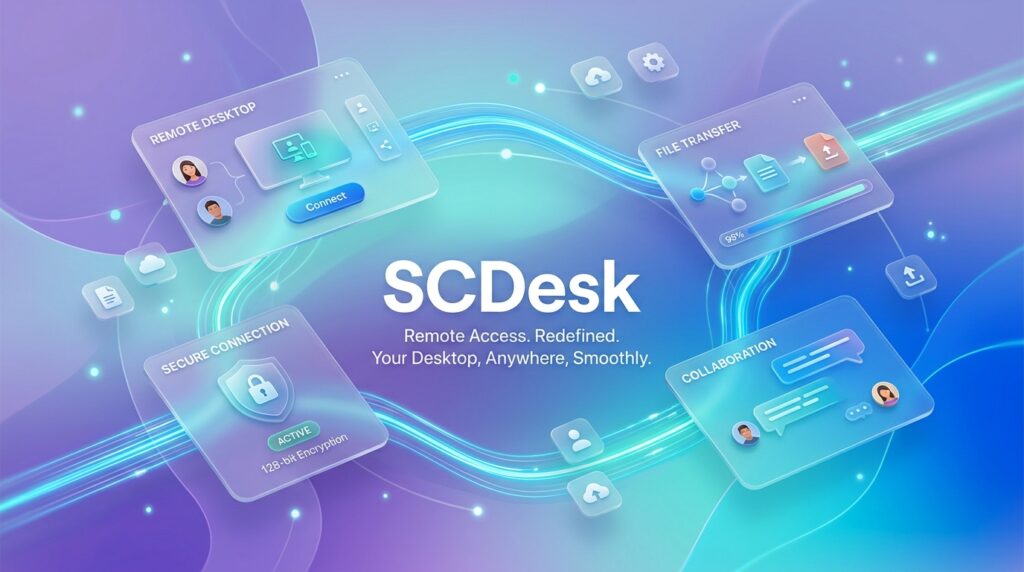
SCDesk bypasses heavyweight middleware. By utilizing a high-performance native Windows capture pipeline paired with hardware-accelerated WebView2 rendering, you get sub-second input response and crystal-clear display refresh rates. Clicks feel instant. Keystrokes register immediately.
2. 📁 Insane Segmented File Transfers
Most remote tools treat file transfer as an afterthought, capping speeds and choking on large archives. SCDesk features a dedicated, high-speed segmented transfer engine capable of streaming multi-gigabyte files effortlessly over your local network and internet relay.
Even better: the Independent File Manager lets you browse remote folders and transfer files in a dedicated session without taking over or displaying the remote screen.
3. 🌐 “Lantastic” Local Discovery + Global Relay
- On Your Local Network (LAN): SCDesk automatically discovers nearby PCs with zero configuration. Connect with one click—no passwords required for trusted LAN peers.
- Across the World (WAN): Connect securely to any machine worldwide using a simple 9-digit Device ID. Powered by high-speed HTTPS relays, SCDesk punches straight through NATs and home firewalls without router port forwarding.
4. 💬 Integrated Live Relay Chat
No need to open third-party messengers or scribble notes in Notepad. SCDesk features a built-in, floating live chat widget that routes messages securely through an independent HTTPS relay:
- Instant Canned Replies: Quick-action chips (
👋 Hello!,⏳ Please wait,🔒 Pause input) and a dropdown for rapid support communication. - Clean & Compact: Sits neatly in the corner without obstructing your remote view.
- Ephemeral Privacy: Message histories vanish automatically the moment your session concludes.
5. 📱 Seamless Mobile Control To & From PC
SCDesk doesn’t trap you at a desk:
- Mobile Web Client: Control your Windows PC directly from your phone’s browser with intuitive touch, drag, and pinch-to-zoom controls.
- SCDesk Mobile Host: Turn your Android device into a manageable remote node with remote touch and separate phone file hosting.
6. 🎥 Native Session Recording
Keep records of technical repairs or save walkthrough tutorials with a single click. SCDesk includes one-click session video recording (.webm) built directly into the top toolbar—no extra software required.
🎨 Sleek, Modern, and Self-Contained
SCDesk proves that powerful tools don’t need to look clunky:
- Instant Day & Night Modes: Switch between a sleek, midnight-navy dark theme and a clean, high-contrast day theme in one click.
- Tiny Footprint: A self-contained executable under 3 MB. No background registry clutter, no stealth services running 24/7 when you aren’t using it.
- Rock-Solid Security: Supports one-time random 6-digit session passwords, unattended master access, and approved-device whitelists.
📊 How SCDesk Compares
| Feature | SCDesk | Old-School Competitors |
|---|---|---|
| Download Size | ~3 MB | 40 MB – 120 MB+ |
| Corporate Telemetry | Zero | Heavy Background Tracking |
| LAN Passwordless Pairing | Automatic Discovery | Complex Configuration |
| File Transfer Engine | Raw Segmented Stream | Throttled / Capped |
| Commercial Nag Screens | None | Frequent Lockouts |
| Built-in Session Chat | Floating HTTPS Relay | Clunky Windows |
| Theme Customization | Sleek Day & Night | Outdated Interfaces |
🏁 The Verdict: Take Back Control of Your Remote Workflow
Remote desktop software shouldn’t feel like a chore, and it definitely shouldn’t slow your hardware down.
SCDesk delivers the speed, power, and freedom remote workers and technicians have been waiting for. It’s lightweight, blindingly fast, and respects your privacy.
Ready to experience remote desktop without the brakes on?
👉

and experience what remote computing was always meant to be.